
SMARTAIDIGI – Prompt Hub for Every Creator
Plug-and-Play Prompts to Supercharge Your AI Creativity
1 · meticulously manicured garden
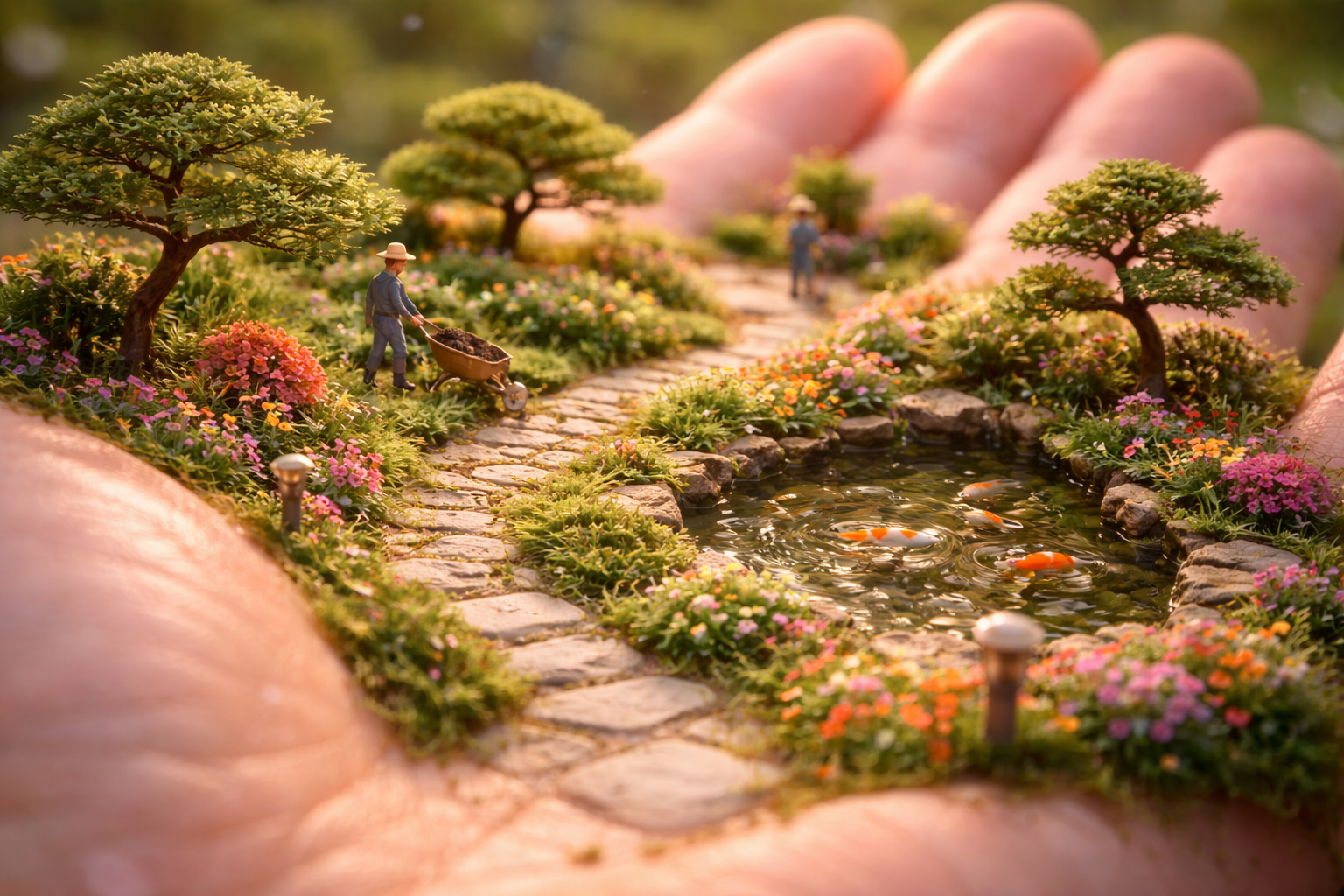
“Ultra-realistic 5-second macro shot of an open human hand bathed in warm afternoon light. The palm hosts a miniature, meticulously manicured garden: winding stone paths follow the natural creases of the skin, surrounded by bonsai trees, colorful flower beds, and a tiny pond with koi fish gently rippling the water. Miniature gardeners in overalls move with care — pushing wheelbarrows, trimming shrubs, and watering plants using thimble-sized cans. The camera glides slowly along the garden at ground level, following a path, then gently rises to reveal the entire layout across the palm. Subtle breeze moves leaves, koi shimmer, soft birdsong fills the air. Peaceful, whimsical, and dreamlike. 8K cinematic realism, shallow depth of field, 16:9 format.”
🔧 Enhancements Made:
• Polished structure for clear cinematic flow (scene → micro actions → camera → atmosphere)
• Elevated mood with soft sensory cues (breeze, shimmer, birdsong)
• Highlighted 8K macro realism and dreamlike whimsy for high-fidelity engines
• Specified shot dynamics (“ground level glide → gentle rise”) for visual storytelling
How to turn this prompt into a video (best results)
- Copy the prompt and generate a high-quality image (any image generator you like).
- Open an Image-to-Video tool (Leonardo, Sora, Veo, Kling, etc.).
- Select Image → Video (or “Image-to-Video”).
- Upload the image you generated.
- Paste the same prompt into the video prompt box.
- Generate / Render. (This method usually produces better results.)
2 · woodland campsite nestled
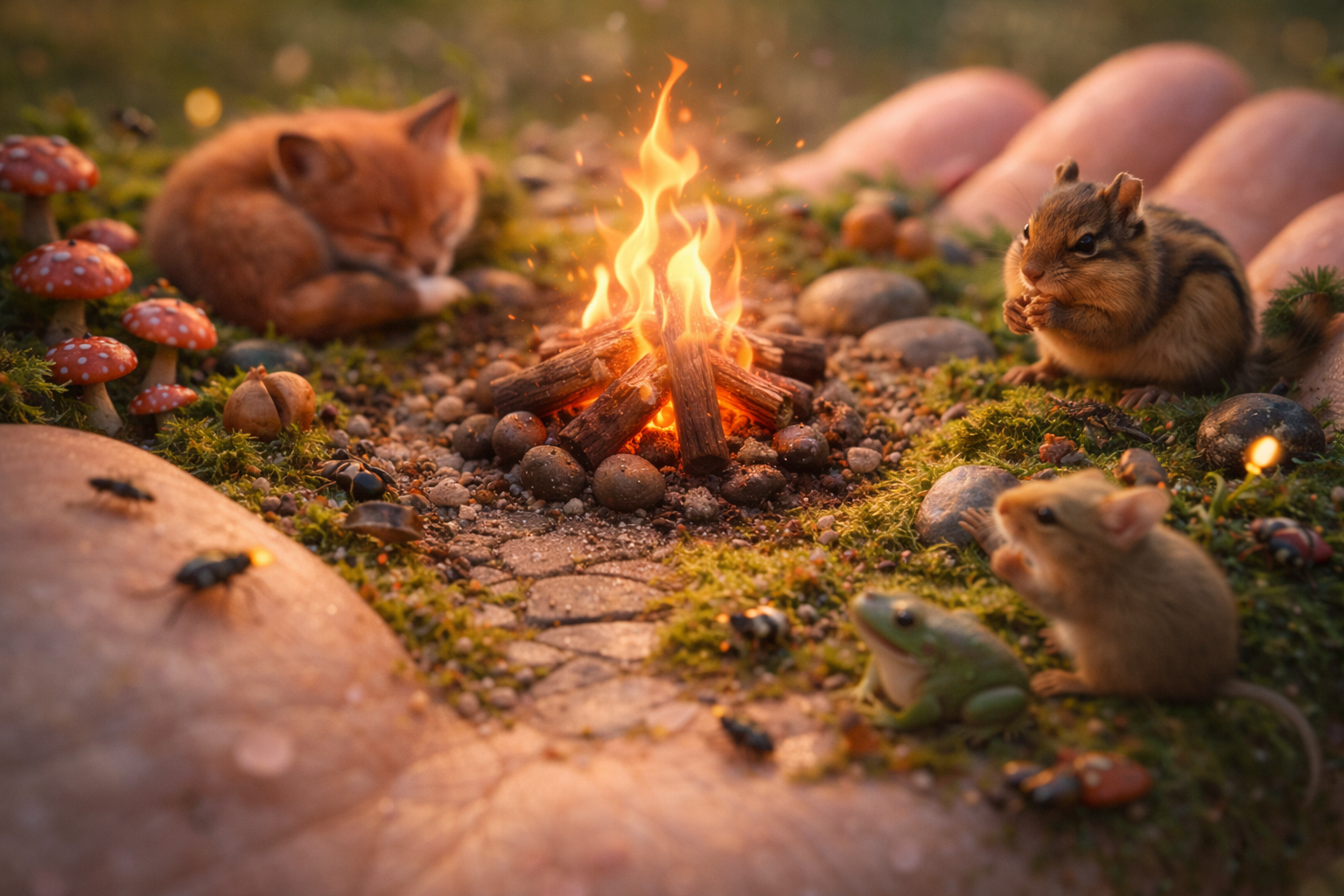
Ultra-realistic 5-second macro shot of a miniature woodland campsite nestled in the open palm of a human hand. The camera opens in an extreme close-up on a tiny campfire — built from miniature logs and pebbles — with bright orange flames flickering gently, casting warm, dynamic light across the surrounding moss and textured skin. Slowly, the camera dollies outward and tilts slightly to reveal more of the palm’s surface, now transformed into a lush micro-forest floor: soft green moss carpets the skin, with acorns, smooth river stones, and clusters of red-capped mushrooms emerging from the creases.
To the left of the fire sits a baby red fox curled up, while on the right, a chipmunk nibbles a seed with tiny, animated paws. A small green frog and a beige mouse sit closer to the foreground, both gently blinking and breathing, adding realism and calmness.
Scattered throughout the scene are numerous highly detailed insects — beetles, ants, moths, and a glowing firefly or two — moving slowly across the moss and sanded skin, leaving faint trails. The atmosphere is serene, whimsical, and deeply textured. Warm golden-hour lighting, shallow depth of field, poetic tone, 8K cinematic realism. Format: 16:9.”
🔧 Enhancements Made:
• Improved pacing and camera movement clarity ("opens", "dollies outward", "tilts")
• Added micro-expressions and behaviors to animals for believability
• Enriched the environmental detail (moss, stones, mushrooms, firelight dynamics)
• Strengthened tone with sensory and poetic cues ("serene", "warm golden-hour", "textured skin")
• Refined for cinematic AI models with 8K, DoF, and emotional consistency
How to turn this prompt into a video (best results)
- Copy the prompt and generate a high-quality image (any image generator you like).
- Open an Image-to-Video tool (Leonardo, Sora, Veo, Kling, etc.).
- Select Image → Video (or “Image-to-Video”).
- Upload the image you generated.
- Paste the same prompt into the video prompt box.
- Generate / Render. (This method usually produces better results.)
3 · volcanic mountain
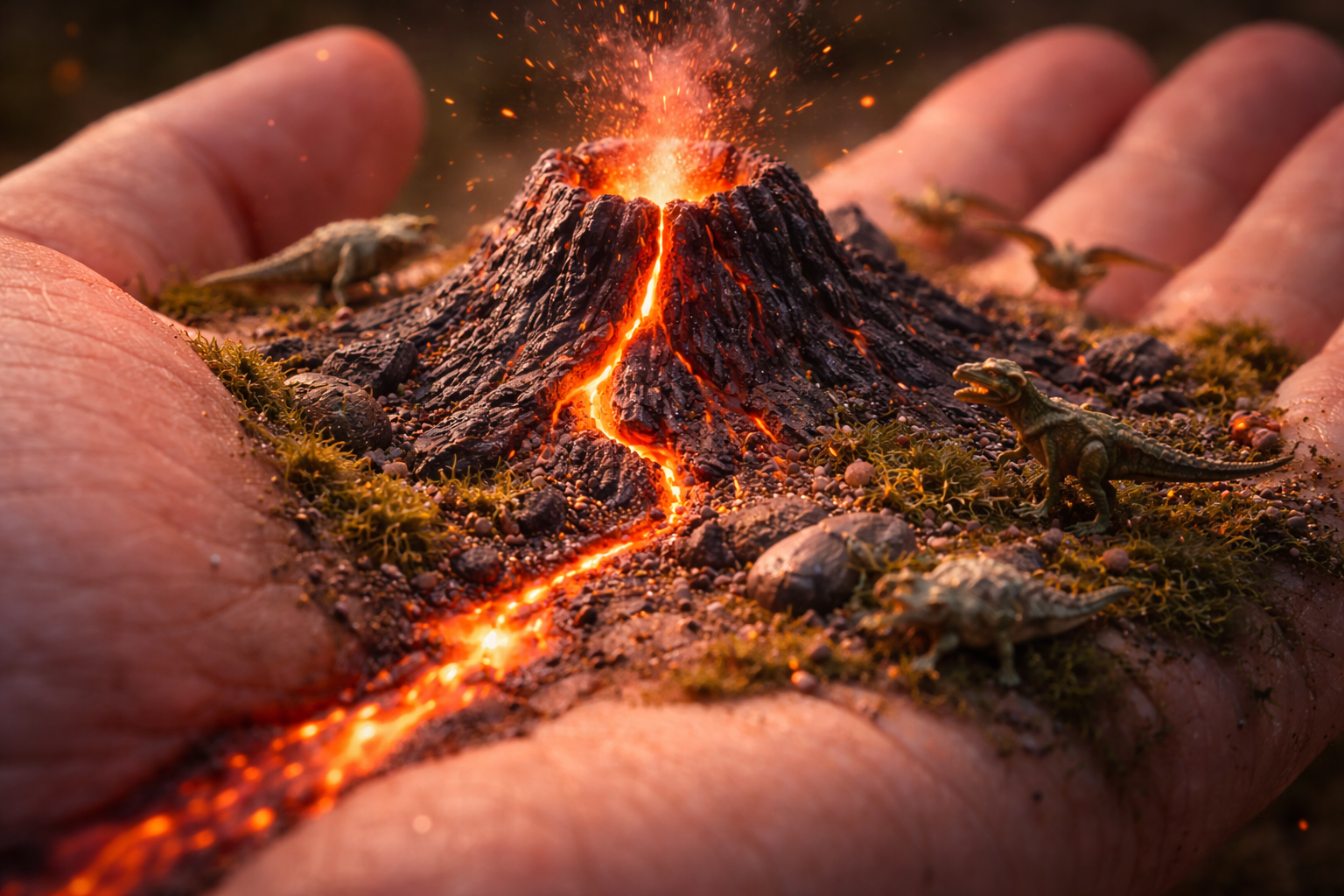
“Ultra-realistic 5-second macro shot of an open human hand, palm facing upward, filling most of the frame. At the center of the palm, a miniature volcanic mountain rises from the skin — made of dark, jagged rock, its glowing red lava bubbling slowly from the crater and trickling down along the palm’s natural creases like molten rivers. The lava emits a soft, pulsing orange glow that lights up the nearby skin and terrain with a dramatic contrast.
Tiny prehistoric creatures — miniature dinosaurs and reptilian animals — move cautiously along the rocky slopes, pausing near the warmth, their scales catching the firelight. Small bursts of ash and glowing embers float upward from the crater, drifting into the air without harming the hand.
The camera begins close on a stream of lava flowing through a skin wrinkle, then gently circles the hand, revealing the full volcano and the living ecosystem around it. The atmosphere is intense yet wondrous. Deep shadows, cinematic lighting, glowing particles, 8K photorealism, shallow depth of field. Format: 16:9.”
🔧 Improvements Made:
• Smoothed flow and camera direction for natural movement
• Added rich lava behavior ("pulsing glow", "molten rivers", "drifting embers")
• Detailed creature interaction for realism ("scales catching firelight", "pausing near warmth")
• Clarified atmosphere as dramatic but safe — no harm to the hand
• Strengthened tone with words like "intense yet wondrous", and ensured full cinematic build
How to turn this prompt into a video (best results)
- Copy the prompt and generate a high-quality image (any image generator you like).
- Open an Image-to-Video tool (Leonardo, Sora, Veo, Kling, etc.).
- Select Image → Video (or “Image-to-Video”).
- Upload the image you generated.
- Paste the same prompt into the video prompt box.
- Generate / Render. (This method usually produces better results.)
4 · miniature modern cityscape
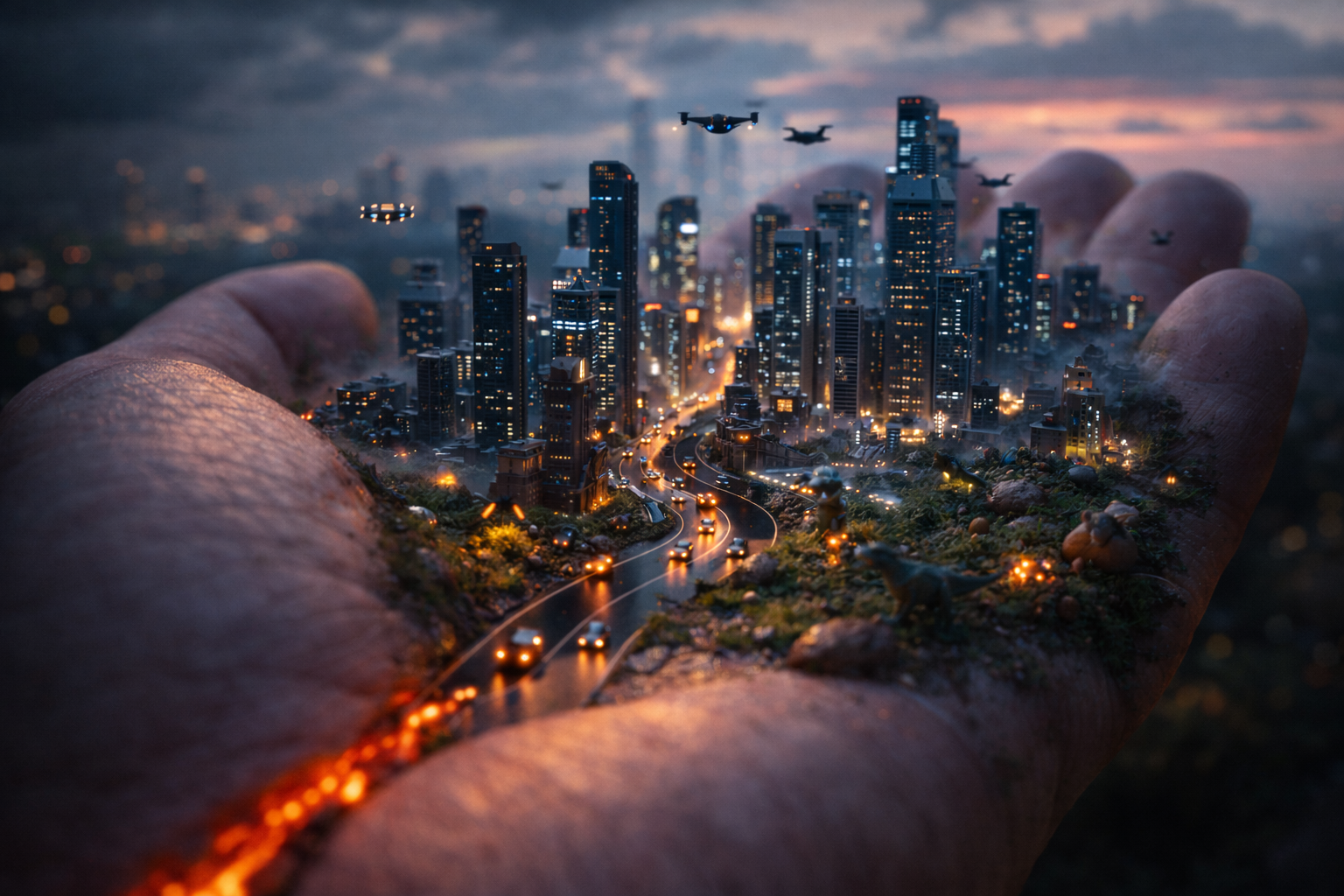
“Ultra-realistic 5-second macro shot of an open human hand held steady against a moody dusk sky. Embedded in the palm is a glowing miniature modern cityscape: sleek glass skyscrapers rise from the natural skin lines, while tiny roads wrap around the contours of the hand and curve along the knuckles. Microscopic cars with glowing headlights move slowly through the streets, casting soft reflections on the skin. Thin layers of fog drift between the buildings, lit from below by neon signage and ambient streetlights.
Above the skyline, miniature drones and air taxis hover and glide silently, adding vertical movement to the scene. The camera begins with a slow cinematic fly-through just above the city’s rooftops, then gently pulls back to reveal the full hand — towering over the tiny futuristic world. The lighting blends cool blue tones with soft orange highlights, evoking a cyberpunk twilight mood. Background ambience includes faint distant traffic, soft humming from drones, and subtle urban echoes. Shot in 8K with shallow depth of field, dreamlike yet hyper-detailed. Format: 16:9.”
🔧 Improvements Made:
• Smoothed the visual pacing and camera path (fly-through → pull-back)
• Enhanced atmospheric elements (“moody dusk sky”, “thin layers of fog”, “cyberpunk twilight mood”)
• Detailed vehicle and lighting interactions for realism (headlights reflecting on skin, ambient neon)
• Defined soundscape for immersion (traffic hum, drone noise, soft echoes)
• Balanced tone as dreamlike yet grounded, with cinematic clarity and photoreal texture
How to turn this prompt into a video (best results)
- Copy the prompt and generate a high-quality image (any image generator you like).
- Open an Image-to-Video tool (Leonardo, Sora, Veo, Kling, etc.).
- Select Image → Video (or “Image-to-Video”).
- Upload the image you generated.
- Paste the same prompt into the video prompt box.
- Generate / Render. (This method usually produces better results.)
5 · garden pathways
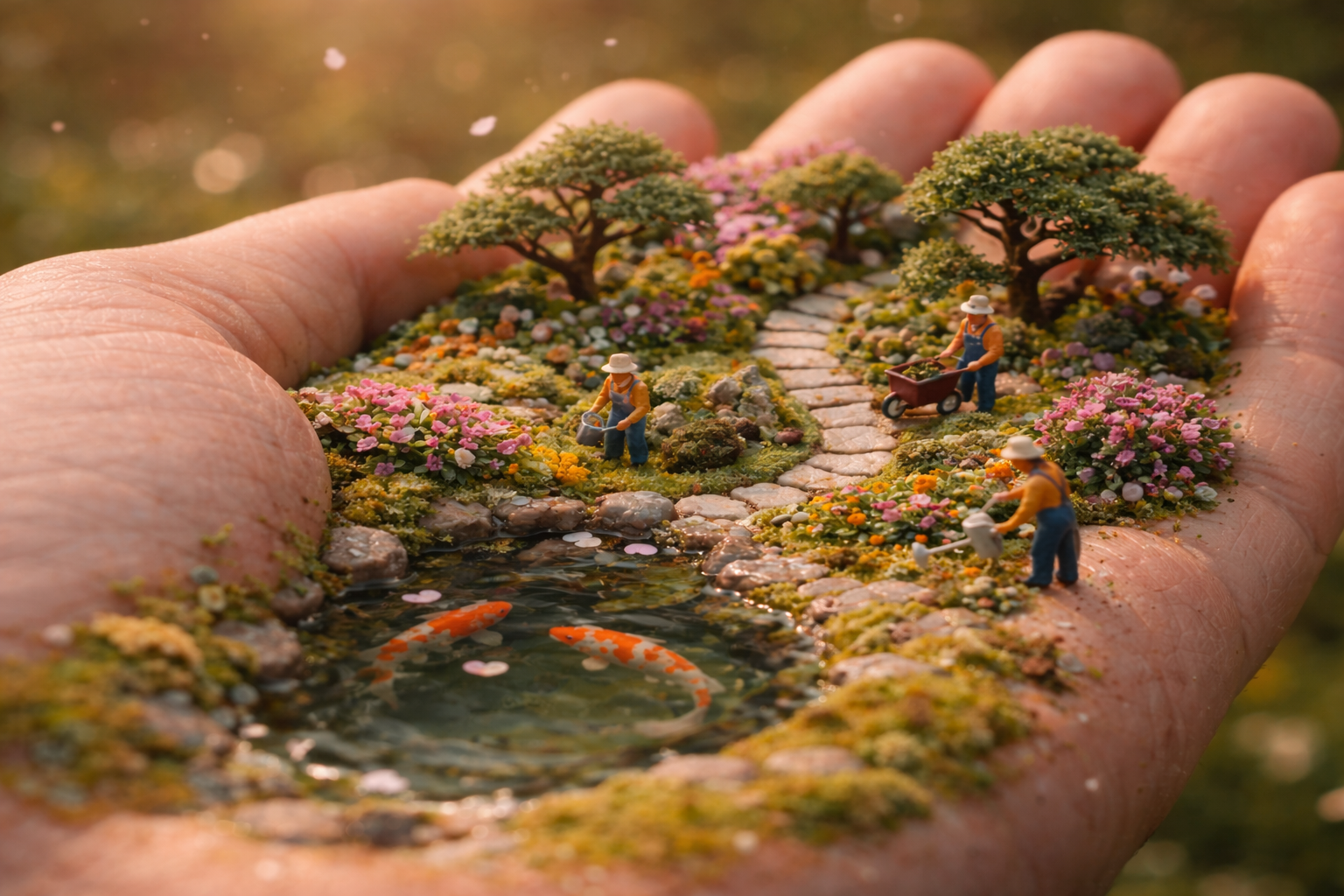
Ultra-realistic macro shot of an open human hand, palm turned upward, bathed in soft afternoon light. Nestled in the palm is a meticulously manicured miniature garden: winding stone paths curve naturally along the palm’s creases, bordered by tiny bonsai trees, colorful flower beds, and a clear pond where miniature koi fish swim gently.
Dressed in overalls, miniature gardeners move carefully through the space — pushing tiny wheelbarrows, trimming bonsai branches, and watering flowers with thimble-sized cans. The skin’s texture blends seamlessly with the garden terrain, covered in soft moss, pebbles, and scattered petals.
The camera begins at ground level beside the pond, gliding slowly through the garden pathways — close to the koi and miniature plants — then gently ascends to reveal the full layout of the garden across the palm. A light breeze stirs leaves and flower petals as birdsong echoes faintly in the background.
The tone is peaceful, whimsical, and grounded in nature. Dreamlike yet photorealistic, captured in 8K with cinematic lighting and shallow depth of field.
Format: 9:16 vertical
Duration: 8–10 seconds
Style: Ultra-realism, macro fantasy, warm natural light
🔧 Improvements Made:
• Adjusted for vertical framing with smooth storytelling flow
• Added camera journey structure (pond → glide → rise)
• Enhanced sensory cues (breeze, petals, birdsong) for immersive realism
• Balanced tone between magical and natural without over-stylizing
How to turn this prompt into a video (best results)
- Copy the prompt and generate a high-quality image (any image generator you like).
- Open an Image-to-Video tool (Leonardo, Sora, Veo, Kling, etc.).
- Select Image → Video (or “Image-to-Video”).
- Upload the image you generated.
- Paste the same prompt into the video prompt box.
- Generate / Render. (This method usually produces better results.)
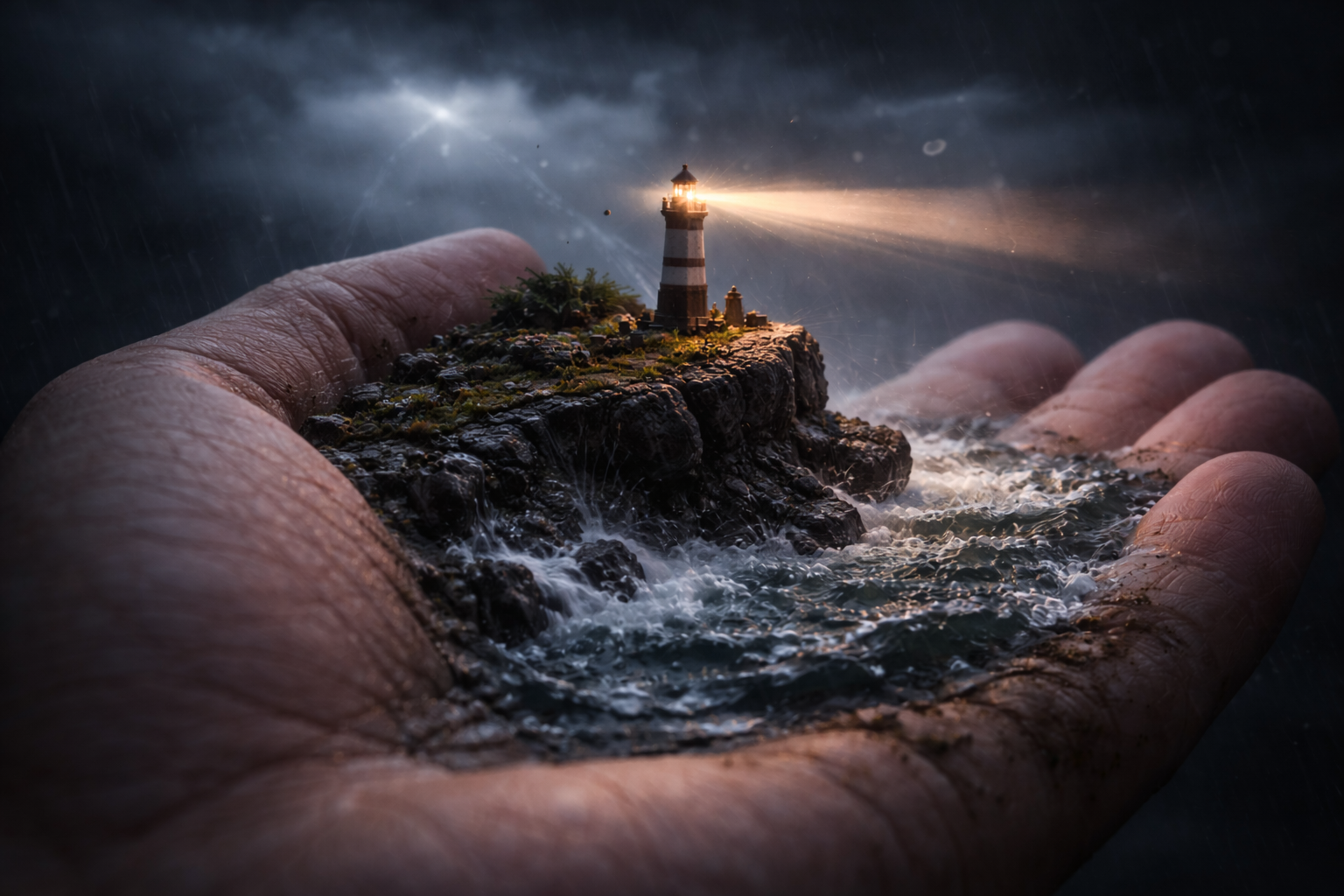
6 · miniature rocky cliff at the edge of a stormy ocean
Format: Vertical 9:16
Length: 8–10 seconds
Scene Description:
Ultra-realistic macro shot of an open human hand, slightly tilted, emerging from shadow. In the center of the palm rises a miniature rocky cliff at the edge of a stormy ocean. Dark, churning waves crash against the stone ledges, sending tiny sprays of water across the textured skin.
Near the palm’s outer ridge stands a delicate lighthouse, no taller than a fingernail, its warm golden beam slowly rotating through swirling mist. The beam cuts across dramatic, low-hanging clouds and faint rain streaks in the background. Tiny seabirds circle above the lighthouse, tossed gently in the turbulent wind.
The camera begins with a close-up of the lighthouse — its light piercing the fog — then slowly pulls back and tilts upward to reveal the full miniature seascape balanced on the hand. Lightning flickers in the distance, illuminating the scene in quick flashes, followed by a deep, soft rumble of thunder.
Visual Style: Hyper-real, cinematic lighting, deep contrast between storm and warmth
Soundscape: Crashing waves, wind gusts, distant thunder, soft gull calls
Mood: Dramatic, poetic, awe-inspiring
Render Quality: 8K macro realism with shallow depth of field
🔧 Improvements Made:
• Added camera movement language (tilt, pullback, upward reveal)
• Refined light and weather effects (rotating beam, flickering lightning, mist)
• Defined sound layer to enhance immersion
• Balanced tone between drama and wonder for cinematic emotional weight
How to turn this prompt into a video (best results)
- Copy the prompt and generate a high-quality image (any image generator you like).
- Open an Image-to-Video tool (Leonardo, Sora, Veo, Kling, etc.).
- Select Image → Video (or “Image-to-Video”).
- Upload the image you generated.
- Paste the same prompt into the video prompt box.
- Generate / Render. (This method usually produces better results.)
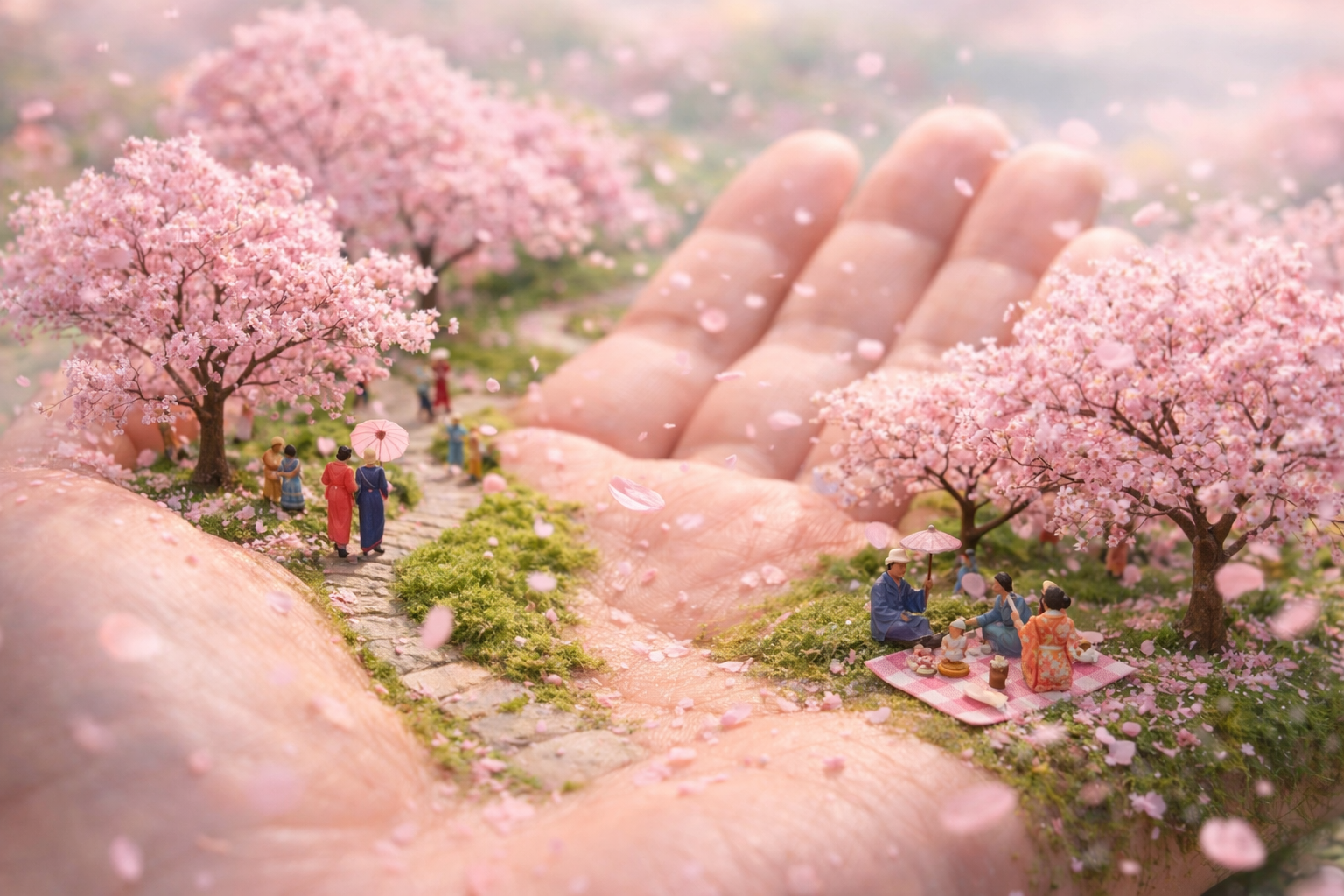
7 · miniature Japanese park
Format: Vertical 9:16
Length: 8–10 seconds
Scene Description:
Ultra-realistic macro shot of an open human hand resting in soft pastel daylight, surrounded by a gentle spring atmosphere. The palm is transformed into a miniature Japanese park in full bloom — delicate cherry blossom trees (sakura) line a curved path that follows the natural lifeline of the hand. The pink petals drift slowly through the air, some landing on the mossy ground, others settling lightly on the skin or sliding down the fingers.
Tiny people in traditional kimonos walk peacefully along the path, pause to take photos, and sit on miniature picnic blankets beneath the trees. Some hold parasols; others sip from tiny tea cups. The skin surface blends seamlessly with grassy areas and stone footpaths, adorned with soft light and vibrant color.
The camera follows a single petal in mid-air — floating gracefully through the scene — before landing softly near a picnic area on the palm. It then rises slowly to reveal the entire hand-park layout, framed by drifting petals and a pastel sky.
Visual Style: Dreamlike realism, soft light, poetic tone
Soundscape: Gentle breeze, distant festival music, soft laughter, birdsong
Mood: Peaceful, joyful, nostalgic
Render: 8K macro detail, shallow depth of field, natural pastel color palette
🔧 Improvements Made:
• Refined petal-focused camera journey for vertical storytelling flow
• Added human-scale micro-moments (tea, photos, laughter) for warmth
• Blended skin and park elements naturally (lifeline = path, finger = petal slide)
• Balanced tone to feel realistic yet magical, rich in texture
How to turn this prompt into a video (best results)
- Copy the prompt and generate a high-quality image (any image generator you like).
- Open an Image-to-Video tool (Leonardo, Sora, Veo, Kling, etc.).
- Select Image → Video (or “Image-to-Video”).
- Upload the image you generated.
- Paste the same prompt into the video prompt box.
- Generate / Render. (This method usually produces better results.)
8 · Laba Cup Glass
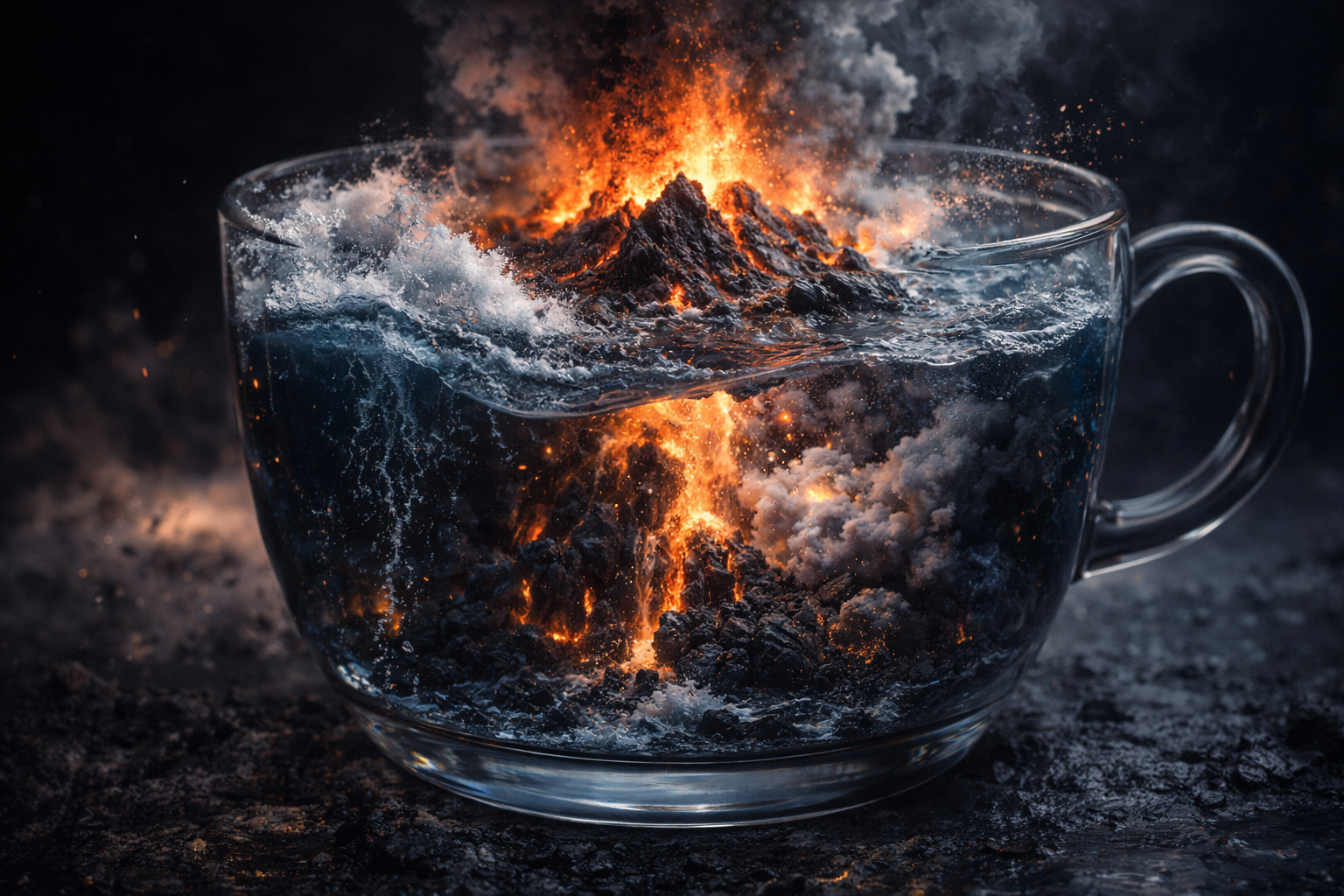
Inside a glass cup, showcasing its unique cross-sectional view, depicting the dramatic moment of an underwater volcanic eruption.
Emphasize AI-simulated intense fluid physics effects (including wave impacts, dynamic lava eruption and flow, and explosive steam clouds generated when water meets molten lava).
Style: epic-scale natural disaster scene in miniature landscape format, pursuing ultimate cinematic CG visual quality with lighting that highlights strong contrast and conflict between cool and warm tones.
Camera rotates around the model and uses close-up shots to capture the surging lava, steam produced from lava meeting seawater, and the dynamic process of new volcanic rock formation, creating powerful visual impact.
How to turn this prompt into a video (best results)
- Copy the prompt and generate a high-quality image (any image generator you like).
- Open an Image-to-Video tool (Leonardo, Sora, Veo, Kling, etc.).
- Select Image → Video (or “Image-to-Video”).
- Upload the image you generated.
- Paste the same prompt into the video prompt box.
- Generate / Render. (This method usually produces better results.)
9 · Big Cat
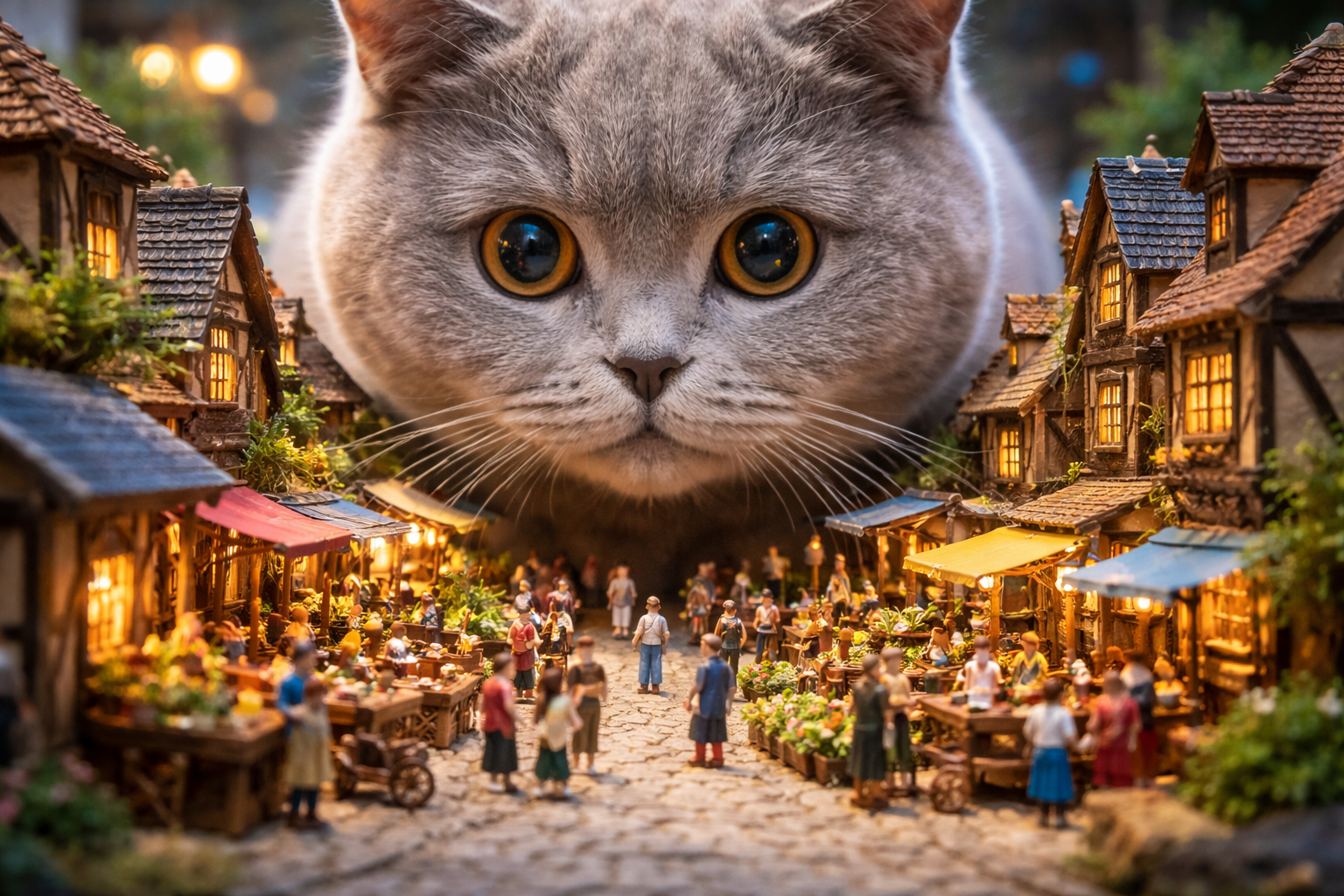
hot with high-end Canon camera. A cute British Shorthair cat occupying 2/3 of the frame. Its giant head looks down at a miniature Lilliputian village. The cat’s eyes are wide open, gazing with wonder and amazement at the scene before it.
Bustling, prosperous streets with people coming and going, conducting business on both sides of the street.
Miniature diorama landscape.
How to turn this prompt into a video (best results)
- Copy the prompt and generate a high-quality image (any image generator you like).
- Open an Image-to-Video tool (Leonardo, Sora, Veo, Kling, etc.).
- Select Image → Video (or “Image-to-Video”).
- Upload the image you generated.
- Paste the same prompt into the video prompt box.
- Generate / Render. (This method usually produces better results.)
10 · Giant oranges as the riverbank
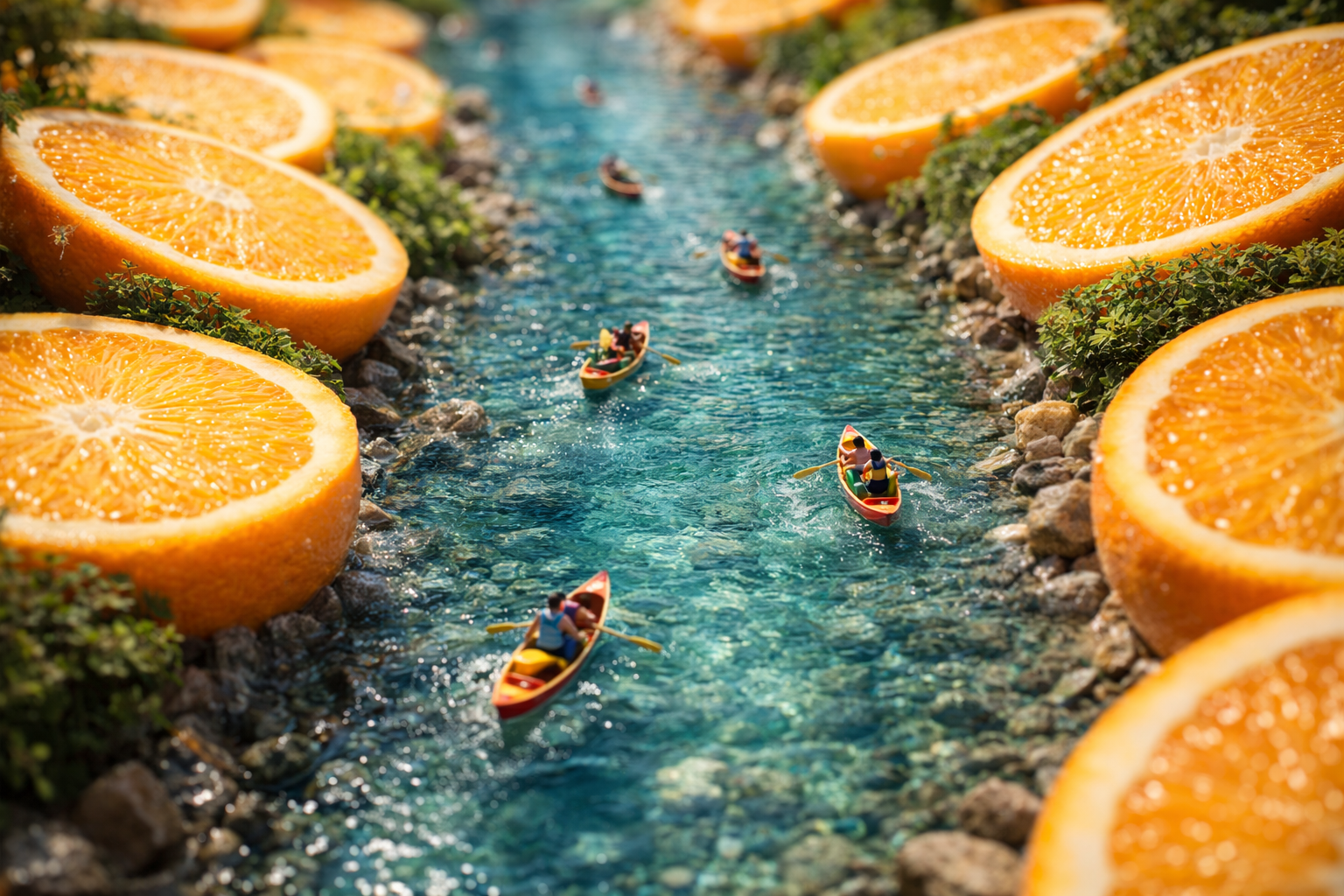
A vibrant, hyper-detailed miniature landscape captured with a tilt-shift lens effect. A crystal-clear river flows through the scene, with giant, sliced oranges forming both riverbanks—bright, juicy, and surreal. Tiny human figures row colorful boats along the river, casting soft ripples in the water. The image blends realism with whimsical fantasy. Framing and composition are designed for a magazine cover or advertising poster — clean, high-contrast layout with space for typography. Soft natural lighting, vivid colors, and a playful yet premium aesthetic. 🔧 Improvements Made: • Clarified “tilt-shift” effect to guide depth and scale • Added poster/magazine framing logic (for real-world design use) • Boosted surreal elements without overloading • Balanced color, lighting, and clarity for a print-quality result
A clear river with giant oranges as the riverbanks, people rowing boats in the river. Tilt-shift lens, miniature landscape.
Magazine cover, poster design, advertising design."
How to turn this prompt into a video (best results)
- Copy the prompt and generate a high-quality image (any image generator you like).
- Open an Image-to-Video tool (Leonardo, Sora, Veo, Kling, etc.).
- Select Image → Video (or “Image-to-Video”).
- Upload the image you generated.
- Paste the same prompt into the video prompt box.
- Generate / Render. (This method usually produces better results.)
11 · Miniature tropical village
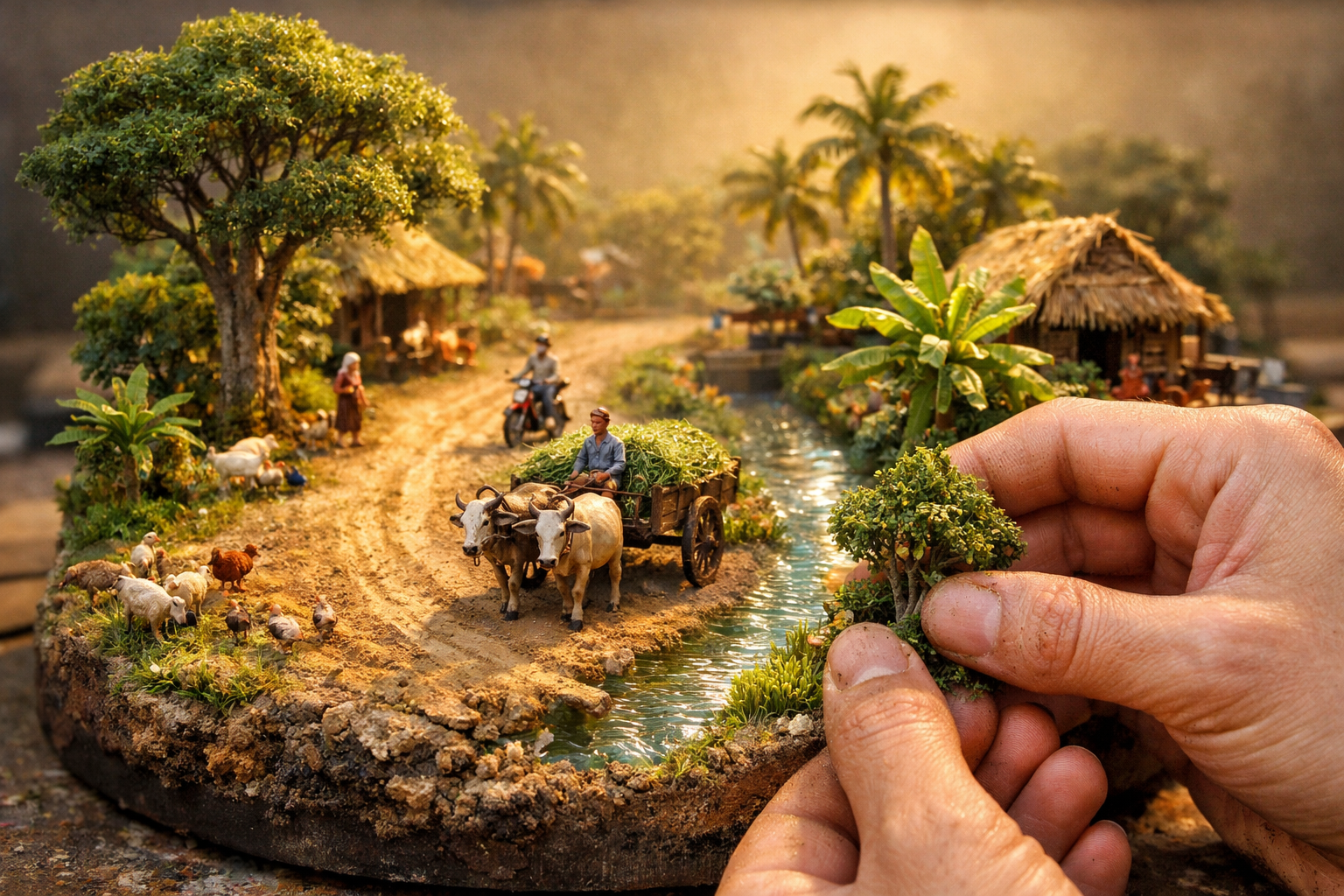
Miniature diorama of a peaceful tropical village, under soft golden morning light. A dirt road curves left, a clear water canal runs right, with lush greenery, thatched huts, palm and banana trees. A farmer on an ox cart carries grass, villagers walk and ride motorcycles nearby. Mini goats, sheep, chickens add life. Trees have rough bark, rich foliage; canal shimmers. The base is organic terrain with volumetric depth.
In the corner, a miniature artist (15–25% of frame, head to torso) adjusts a tiny tree or water detail with both hands — natural textures on fingers (dust/moss). Medium shot, eye-level, slight ¾ angle. Diorama fills 75–85% of the frame. Sharp focus on hands and scene; softly blurred studio background. Lighting matches hazy sunrise, with soft natural shadows and micro highlights. 9:16 portrait.
🔧 Improvements Made:
• Shortened while keeping all major elements
• Structured clearly by scene, characters, focus, and lighting
• Removed redundancies and simplified grammar for Leonardo compatibility
• Preserved professional tone and visual realism goals
How to turn this prompt into a video (best results)
- Copy the prompt and generate a high-quality image (any image generator you like).
- Open an Image-to-Video tool (Leonardo, Sora, Veo, Kling, etc.).
- Select Image → Video (or “Image-to-Video”).
- Upload the image you generated.
- Paste the same prompt into the video prompt box.
- Generate / Render. (This method usually produces better results.)
12 · Miniature BABY

Animate only gentle, tiny movements: the FOOD-embedded baby-face blinks softly, its stylized mouth slowly opens in anticipation as a hand brings a small piece of FOOD toward it. The FOOD creature leans forward slightly to reach the bite, takes a small nibble with a soft mouth motion, and shows subtle cheek squish followed by delicate chewing. Add faint happy micro-expressions and minimal slow breathing, keeping all motions smooth, cute, and delicately understated.
How to turn this prompt into a video (best results)
- Copy the prompt and generate a high-quality image (any image generator you like).
- Open an Image-to-Video tool (Leonardo, Sora, Veo, Kling, etc.).
- Select Image → Video (or “Image-to-Video”).
- Upload the image you generated.
- Paste the same prompt into the video prompt box.
- Generate / Render. (This method usually produces better results.)
13 · Hard-Boiled Egg
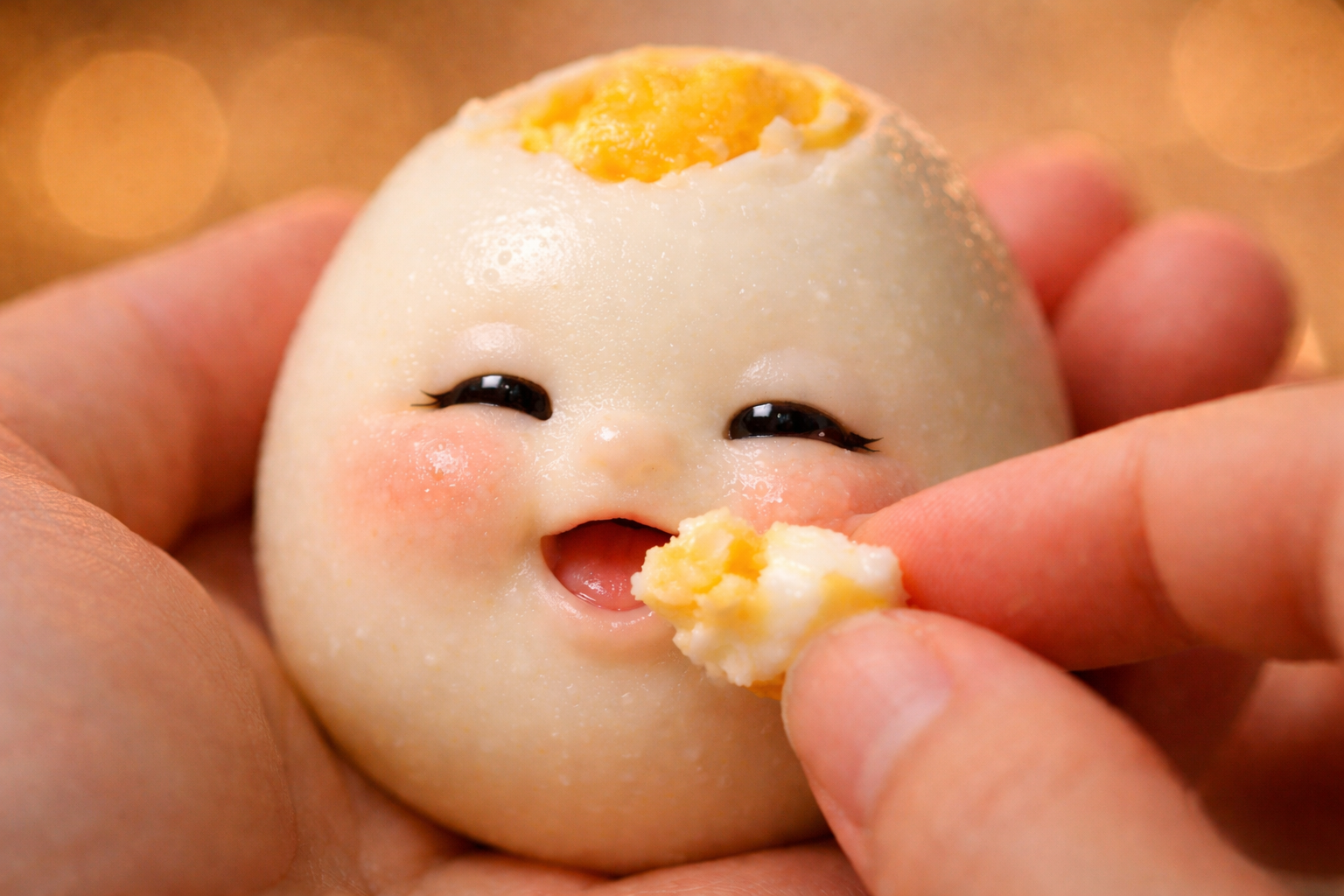
Animate only gentle, tiny movements: the FOOD-embedded baby-face blinks softly, its stylized mouth slowly opens in anticipation as a hand brings a small piece of FOOD toward it. The FOOD creature leans forward slightly to reach the bite, takes a small nibble with a soft mouth motion, and shows subtle cheek squish followed by delicate chewing. Add faint happy micro-expressions and minimal slow breathing, keeping all motions smooth, cute, and delicately understated.
Create an ultra-realistic macro shot of food = "Hard-Boiled Egg", featuring a tiny stylized kawaii face subtly sculpted from the FOOD’s own texture—no human-baby realism. The cheeks, nose, and mouth should appear naturally formed from the FOOD with its pores and bumps flowing across the features, a smoothly carved mouth, and glossy doll-like eyes. The FOOD must rest gently in a human palm, while another hand feeds the embedded face a small piece of FOOD at its mouth. Use a mogucheeks-inspired food-creature aesthetic with hyperreal macro texture, rounded cute features, warm soft lighting, and shallow depth of field (f/1.2–1.4) producing creamy bokeh. Capture tiny excited expressions with glossy innocent eyes. Shot on an 85mm macro lens at f/1.4 with ultra-sharp focus on the sculpted face and a blurred background, in a 16:9 vertical portrait format.
How to turn this prompt into a video (best results)
- Copy the prompt and generate a high-quality image (any image generator you like).
- Open an Image-to-Video tool (Leonardo, Sora, Veo, Kling, etc.).
- Select Image → Video (or “Image-to-Video”).
- Upload the image you generated.
- Paste the same prompt into the video prompt box.
- Generate / Render. (This method usually produces better results.)
14 · “Kiwi fruit”.
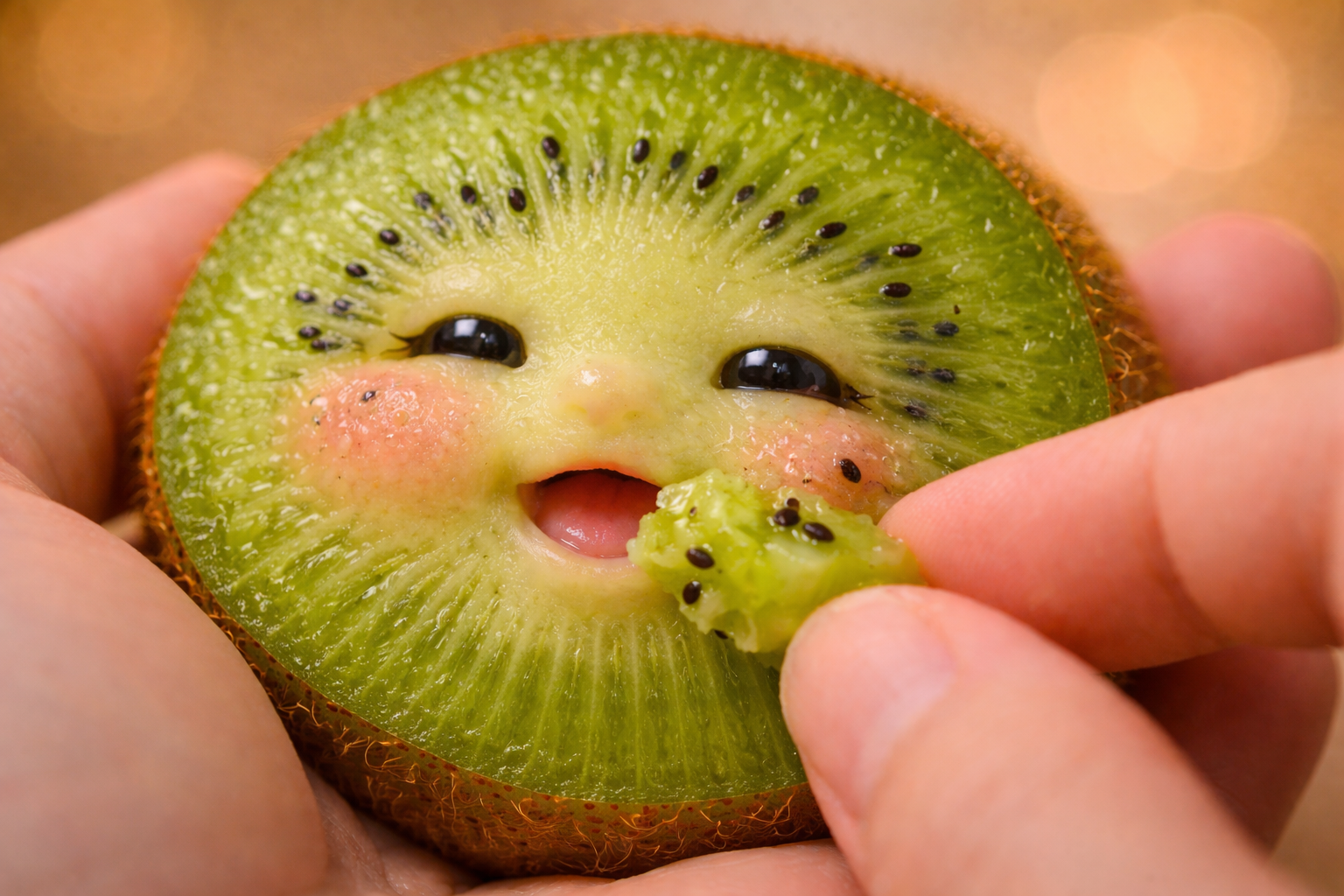
“Kiwi fruit”.
Animate only gentle, tiny movements. The FOOD-embedded kawaii face blinks softly. Its stylized mouth slowly opens in anticipation as a hand brings a very small piece of FOOD toward it. The FOOD creature leans forward slightly to reach the bite, takes a tiny nibble with minimal mouth motion, followed by subtle cheek squish and delicate slow chewing. Add faint happy micro-expressions and barely visible slow breathing. All motion must remain smooth, calm, cute, and delicately understated.
Create an ultra-realistic macro shot of food = “Kiwi fruit”. The kiwi features a tiny stylized kawaii face subtly sculpted directly from the FOOD’s own texture, not human-baby realism. The cheeks, nose, and mouth appear naturally formed from the kiwi surface, with seeds, fibers, and organic texture flowing seamlessly across the facial features. The mouth is softly carved and minimal. The eyes are glossy, doll-like, innocent, and clearly non-human.
The kiwi rests gently in a human palm, while another hand slowly feeds the embedded face a very small piece of kiwi at its mouth.
Visual style: mogucheeks-inspired food-creature aesthetic, hyper-real macro texture, rounded cute proportions, warm soft lighting, shallow depth of field (f/1.2–1.4) with creamy bokeh.
Camera: 85mm macro lens look, ultra-sharp focus on the sculpted face, blurred background.
Format: 16:9 vertical portrait.
How to turn this prompt into a video (best results)
- Copy the prompt and generate a high-quality image (any image generator you like).
- Open an Image-to-Video tool (Leonardo, Sora, Veo, Kling, etc.).
- Select Image → Video (or “Image-to-Video”).
- Upload the image you generated.
- Paste the same prompt into the video prompt box.
- Generate / Render. (This method usually produces better results.)
15 · Miniature surfers on a smartphone
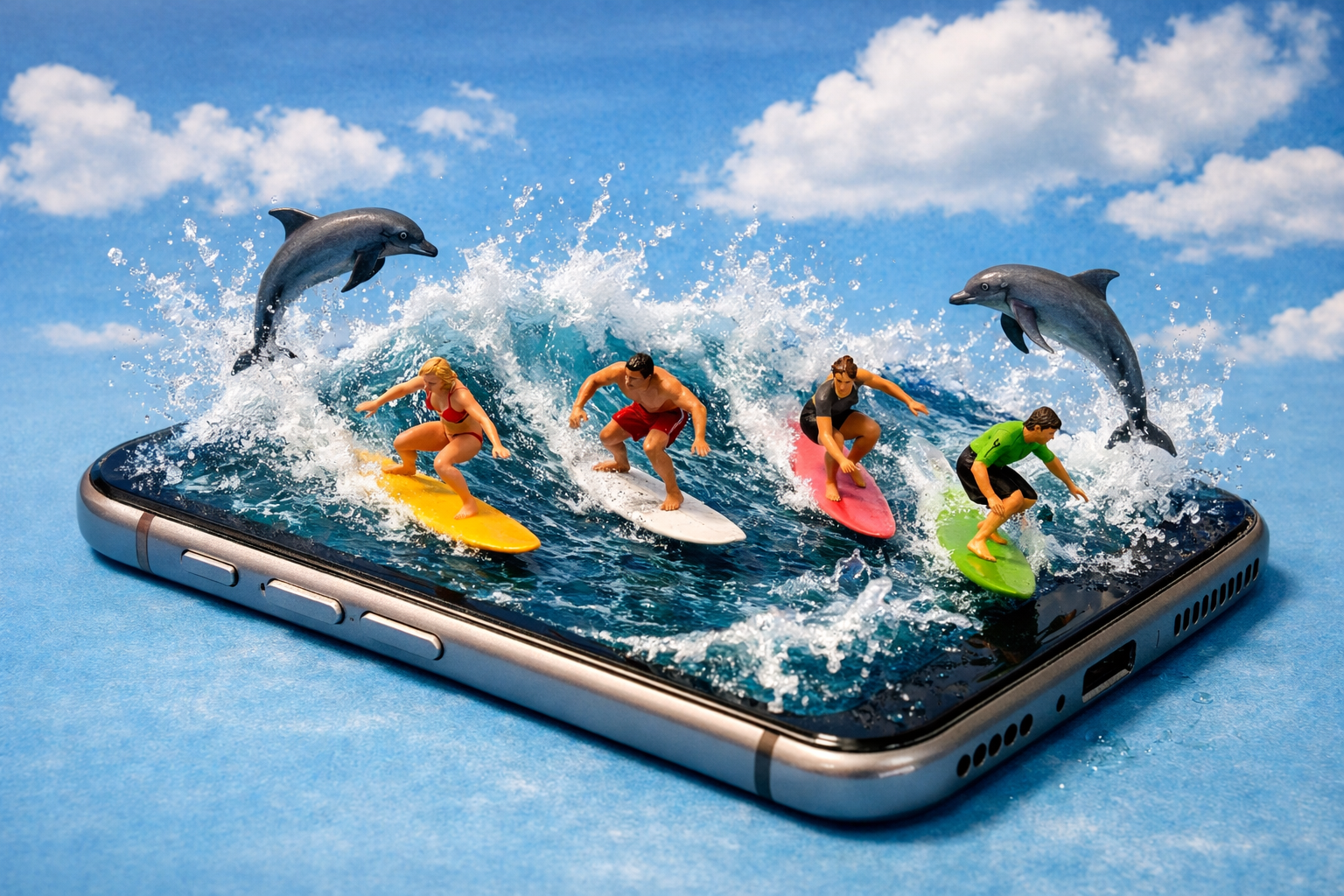
Miniature, overhead angle. A group of people surfing on a mobile phone, water splashing everywhere they glide, waves flying up, dolphins jumping in the air. Background is blue sky with white clouds.
How to turn this prompt into a video (best results)
- Copy the prompt and generate a high-quality image (any image generator you like).
- Open an Image-to-Video tool (Leonardo, Sora, Veo, Kling, etc.).
- Select Image → Video (or “Image-to-Video”).
- Upload the image you generated.
- Paste the same prompt into the video prompt box.
- Generate / Render. (This method usually produces better results.)